

Submitting six-monthly reports for Authorised Prescribers
This user guide is for medical practitioners who hold an Authorised Prescriber (AP) authorisation.
If you are an Authorised Prescriber, you must submit a report every 6 months for each AP authorisation you hold. This is a condition of authorisation.
This guide explains:
- when reports are due
- what information you must report
- how to submit your reports using the Special Access Scheme (SAS) & Authorised Prescriber (AP) Online System (the system).
Reporting periods
There are 2 reporting periods each year.
1 January to 30 June
- Reporting opens 1 July.
- Reports must be submitted by 31 July.
1 July to 31 December
- Reporting opens 1 January.
- Reports must be submitted by 31 January.
Your reports must be submitted by the due date for each reporting period to meet your legislated AP reporting obligations under section 47B of the Therapeutic Goods Regulations (1990).
We will send a reminder to the email address recorded in your system account when reporting opens.
How to submit your report
Reporting is submitted through the Special Access Scheme (SAS) & Authorised Prescriber (AP) Online System (the system).
Step 1: Access your account
Log into your account in the Special Access Scheme (SAS) & Authorised Prescriber (AP) Online System.
For help resetting your password see: Authorised Prescriber: online system.
Figure 1: AP Reports dashboard
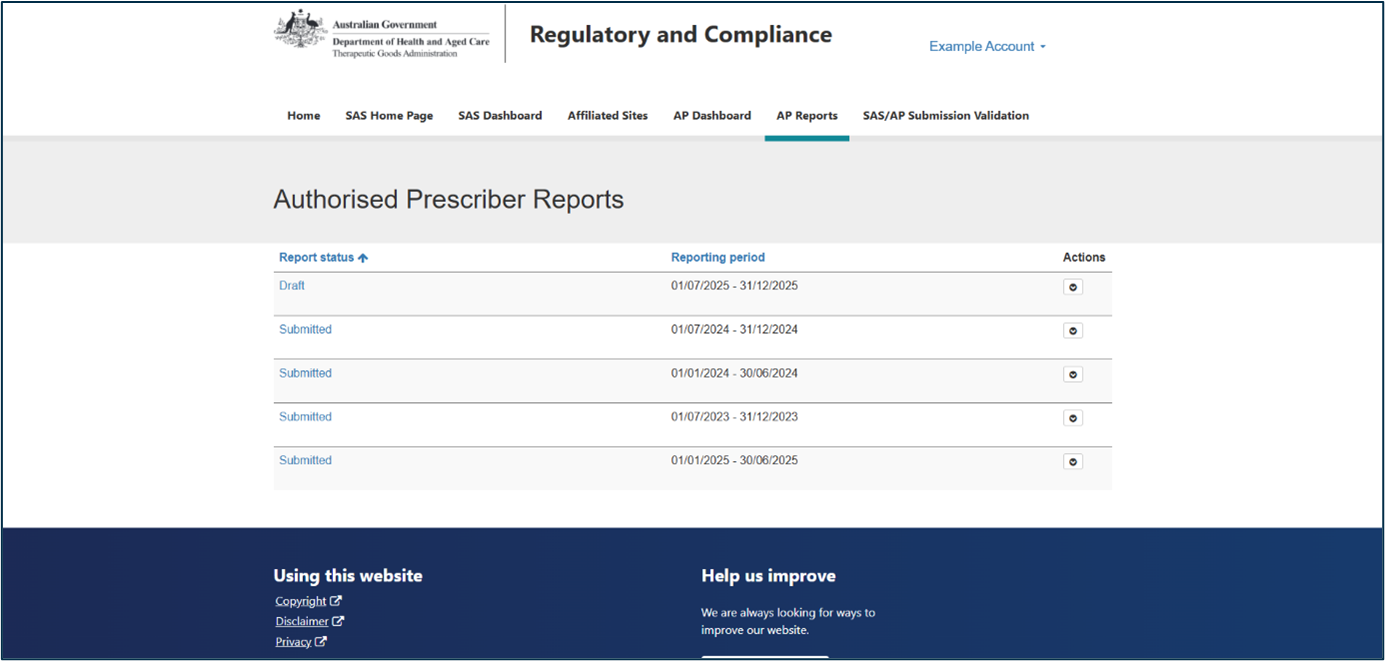
Figure 2: Opening the reporting period
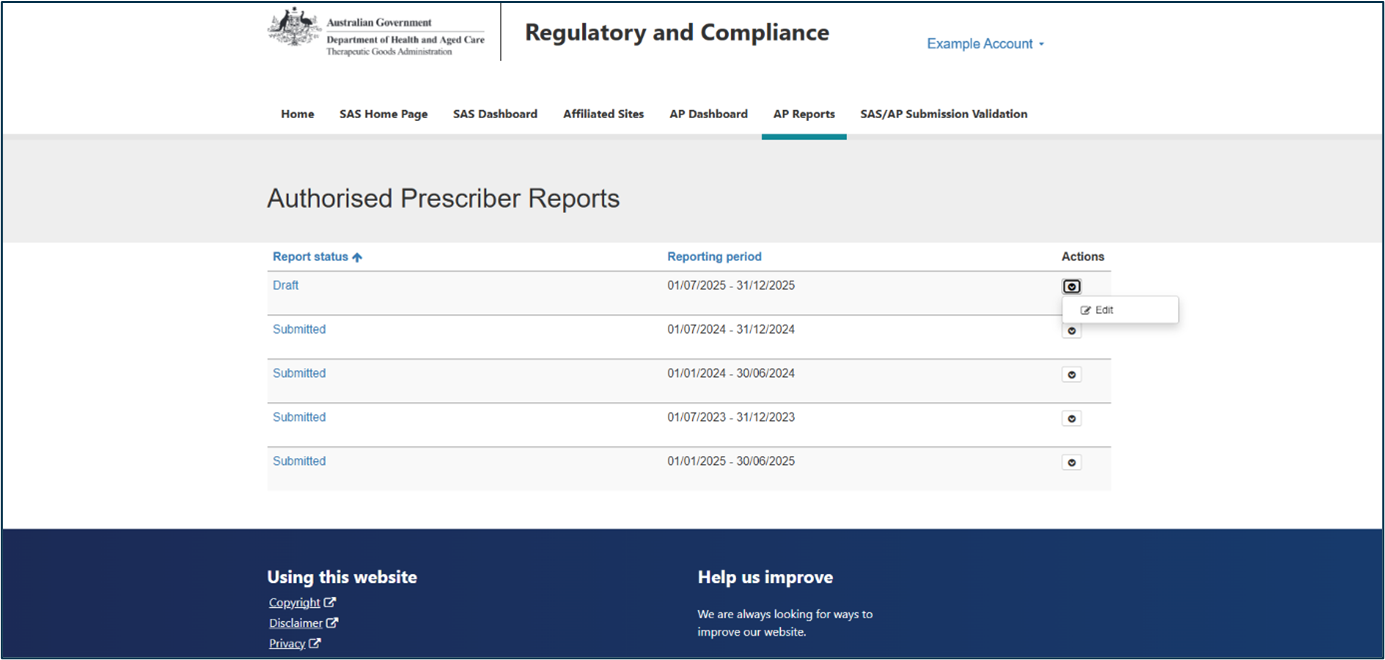
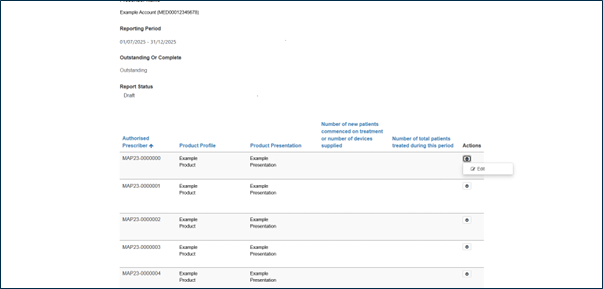
Figure 3: Open an authorisation report
Step 5: Enter patient data
For each AP authorisation, enter the following patient data:
New patients
The number of patients who commenced treatment, or the number of devices supplied, during this reporting period.
Total patients
The total number of patients treated during the reporting period. This includes:
- new patients
- patients who commenced treatment in a previous reporting period and continued treatment during this period.
If no patients were treated you must enter the number zero.
If an AP authorisation is no longer in use, you are encouraged to consider requesting withdrawal of the approval.
Multiple authorisations
If you held more than one authorisation for the same product and dosage form during a reporting period, patient data must be reported separately for each authorisation, based on the relevant approval and expiry dates.
Where approval periods overlap:
- report patient numbers up to the expiry date of the first authorisation
- report patients treated after that date under the subsequent authorisation.
If you prescribed a product to a patient for the first time under a specific authorisation, count that patient as both a new patient and a total patient for that authorisation. This applies even if you have prescribed a different product to the same patient under another authorisation.
Patient numbers must not be combined across multiple authorisations. Combined reporting will be identified as non-compliant.
Figure 4: Enter patient data
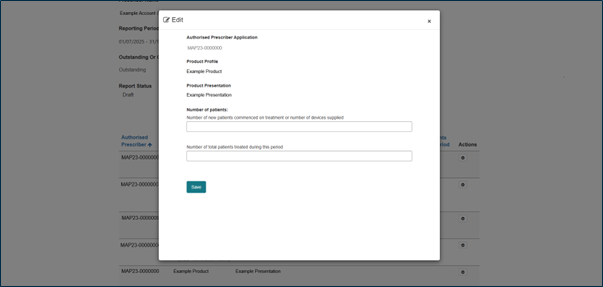
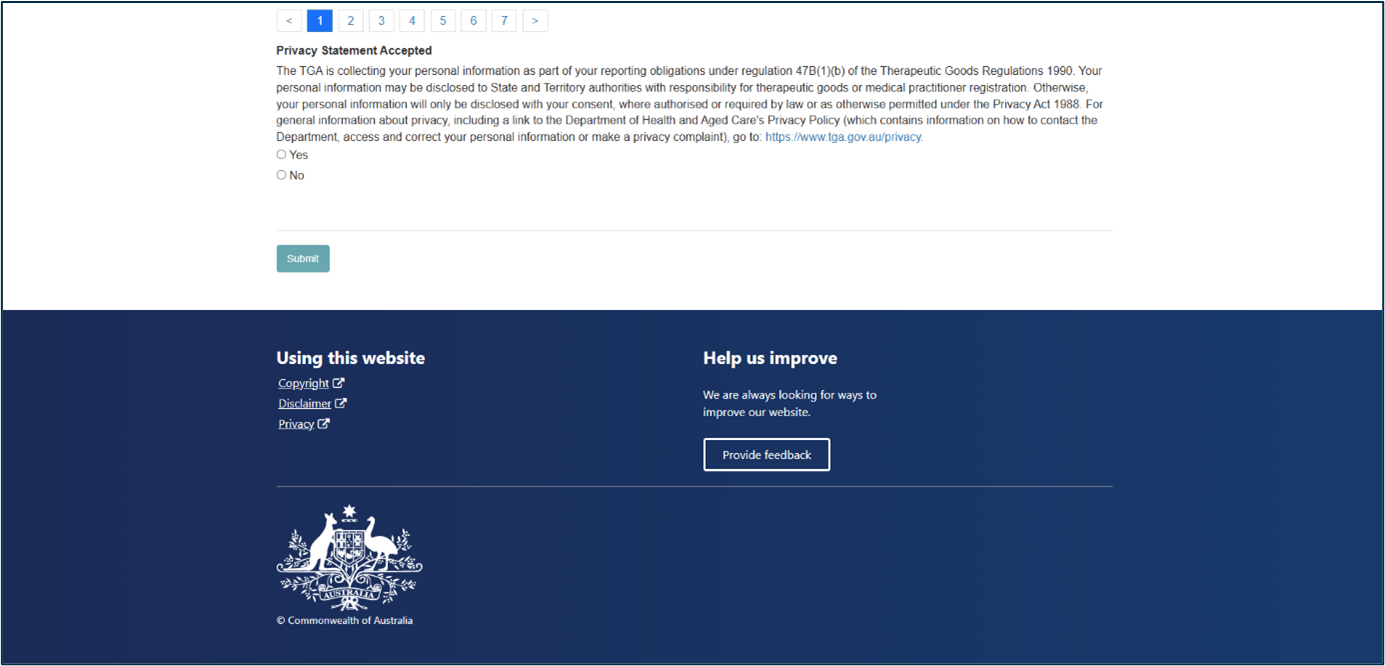
Figure 5: Privacy Statement
Contact
If you need help accessing the system, submitting your report, or withdrawing your authorisation, email SAS.Support@health.gov.au.
Page history
Original publication
Original publication